
Before the first screen opens, you choose your Blueprint — a pre-built chiropractic encounter template that sets the structure for the visit. Pick a Single Blueprint for a focused visit type, or combine multiple into a Super Blueprint for a more complete intake or exam.
Pre-built templates cover the most common chiropractic encounter types, organized by discipline. Everything is customizable, and your clinic can build its own to match your exact workflow.
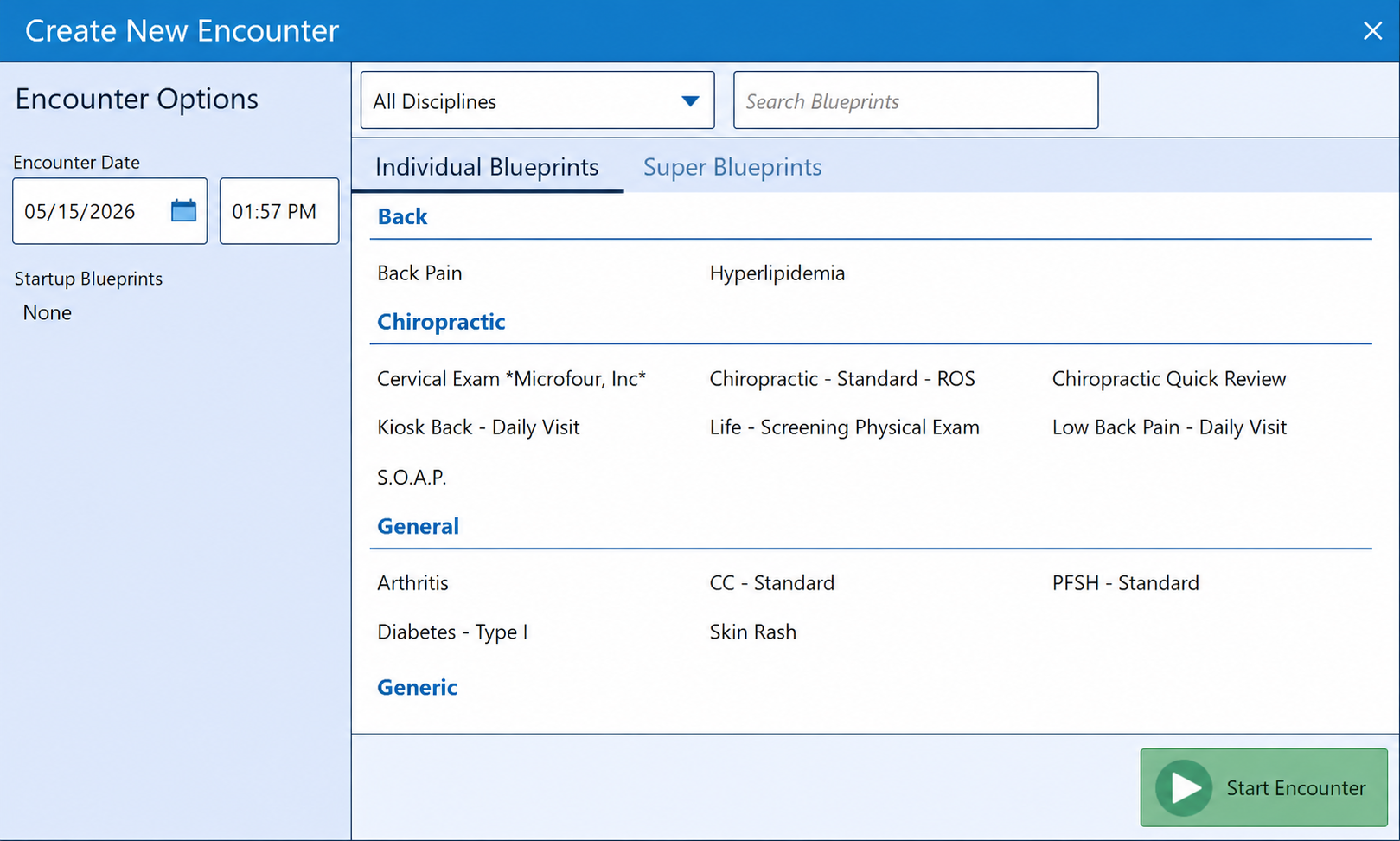
Individual Blueprints for focused visit types. Super Blueprints combine multiple sections into one guided encounter.
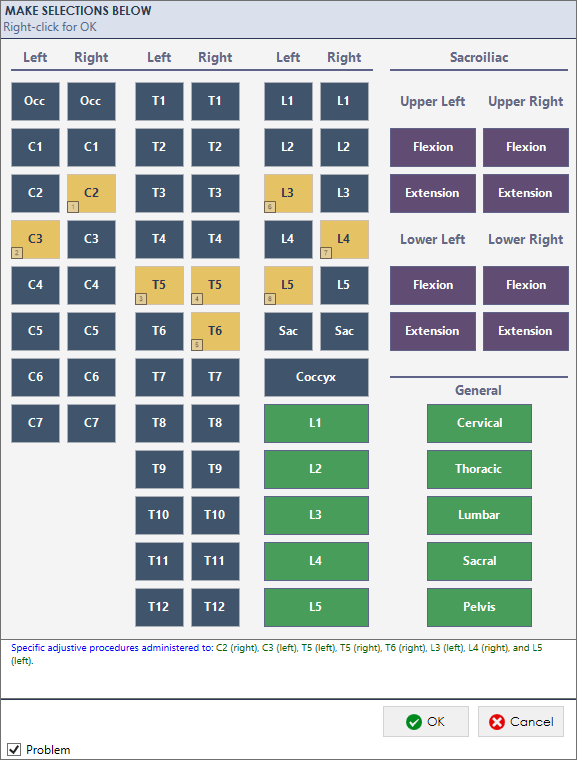
Touch to select. The documentation writes itself. Every tap builds the clinical record in real time.
Each section of a chiropractic encounter opens a structured entry screen. Touch-optimized, visually organized, and built around how chiropractors actually think — regions, levels, laterality, severity.
As you make selections, the clinical language generates automatically at the bottom of the screen. No typing. No dictating. No deciding how to phrase it. The structured data becomes structured documentation the moment you tap.
The Blueprint view assembles your documentation as you work. Chief complaint, history, examination findings, diagnosis codes, treatment — all built section by section, visible in real time.
When the encounter is complete, this is the note. Print it, fax it, sign it, or upload it to the patient portal. No generation step. No review-and-reformat. What you built is what gets sent.
Suggested E/M billing codes appear as you document, updating automatically based on the complexity of what's been captured.
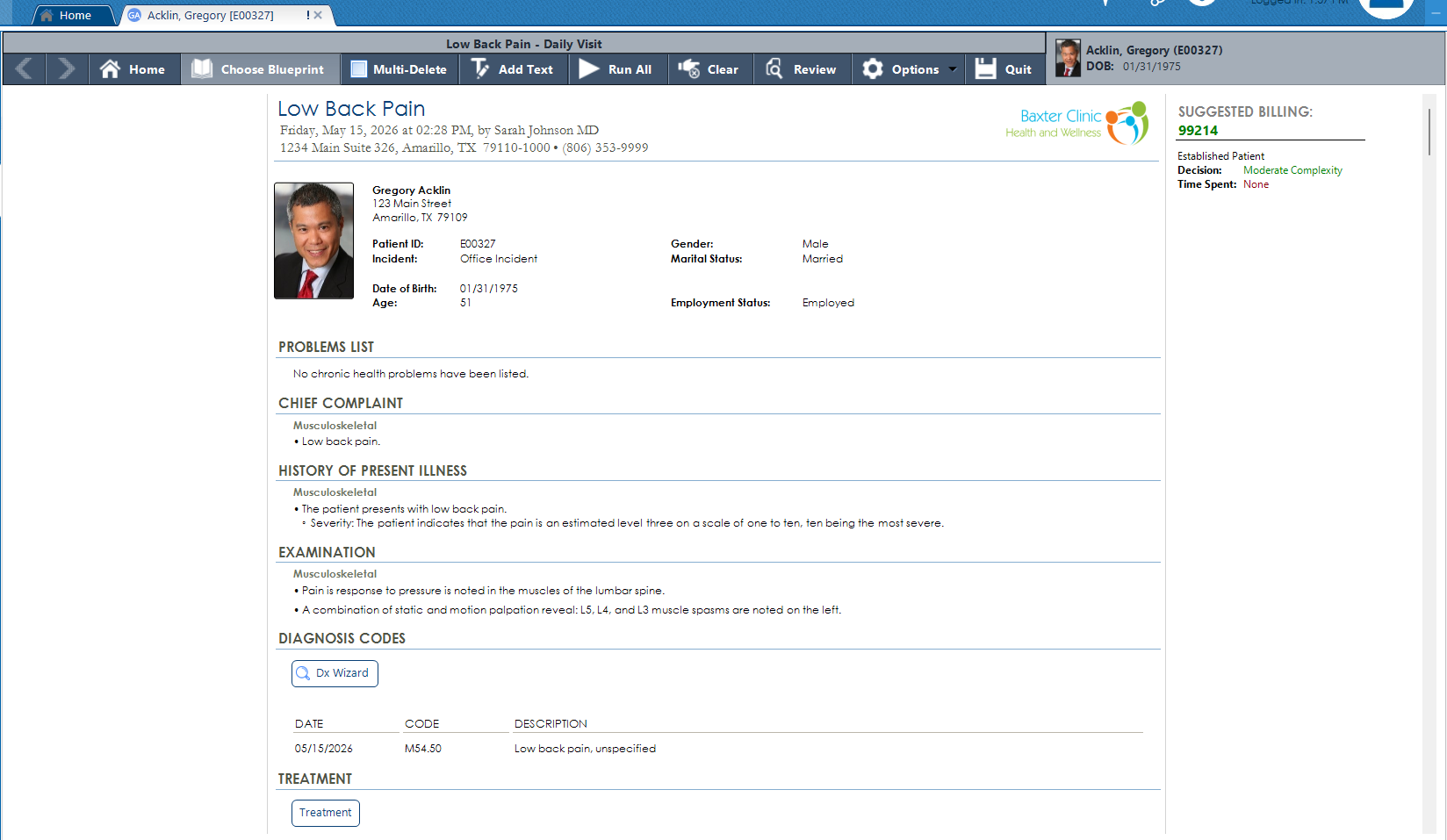
The assembled encounter note — built section by section during the visit. Suggested billing updates automatically as documentation complexity increases.
AI Workflow captures the encounter through ambient audio and converts it into the same structured clinical record — the same sections, the same output, the same Blueprint view. Whether you tap through the screens or let Alma transcribe the visit, the note ends up in the same place.
Structured data. Not just a text transcription.
Designed around chiropractic workflows over 37 years — not retrofitted from a generic template.
Combine multiple Blueprint sections into a single guided encounter. Build your initial exam, re-exam, or custom visit type exactly the way your practice works.
Suggested billing codes appear and update in real time as the encounter builds. Documentation complexity drives the code — automatically, without a separate coding step.
Flag a finding as a problem directly from the entry screen. It carries forward into the patient’s problem list and stays visible across future encounters.
Vitals and key measurements tracked and compared across visits in a single view. Trends visible at a glance without opening individual encounters.
Not every practice works the same way. Build your own blueprints from scratch or modify the pre-built chiropractic library to fit your clinic’s documentation style.
The finished note goes wherever it needs to go — printed, faxed through built-in eFax, or uploaded directly to the patient portal — without leaving the chart.
We’ll walk you through a full encounter — from Blueprint selection to finished note — in a live demo built around your workflow.