
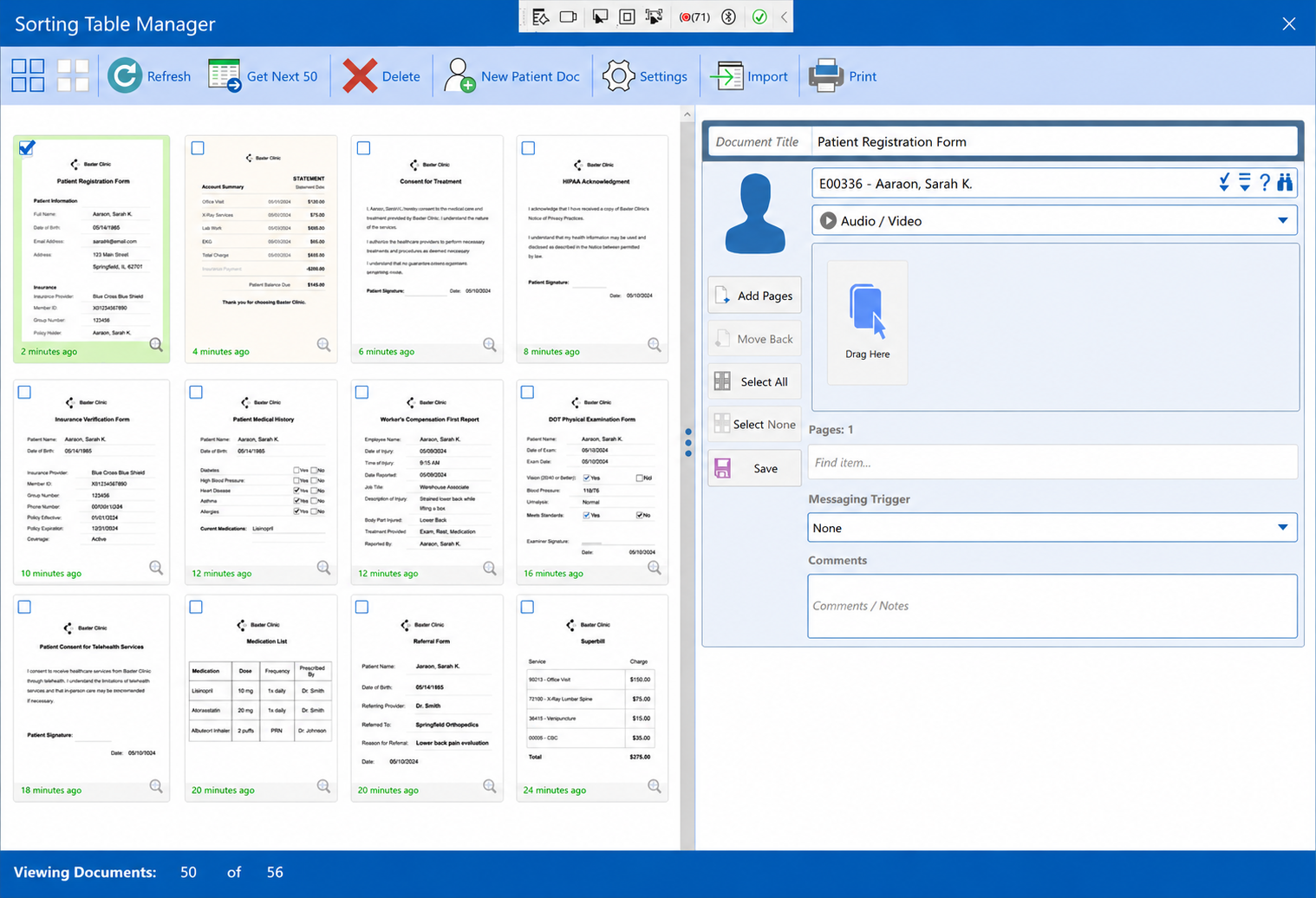
The Sorting Table — a visual queue where scanned documents are reviewed, titled, and assigned to the patient record.
PracticeStudio's scanning console connects directly to your scanner. Documents land in the sorting table — a visual queue where your staff can review, title, assign to a patient, and save directly into the record.
No paper piling up. No lost documents. No separate scanning software. Every document your practice touches ends up exactly where it needs to be.
No separate fax software. No printing and re-scanning. PracticeStudio's built-in eFax pulls directly from the patient record — encounters, documents, media — and sends in one step.
Incoming faxes land in a shared mailbox, organized by category and staff member. Everyone sees what they need to see. Nothing gets missed.
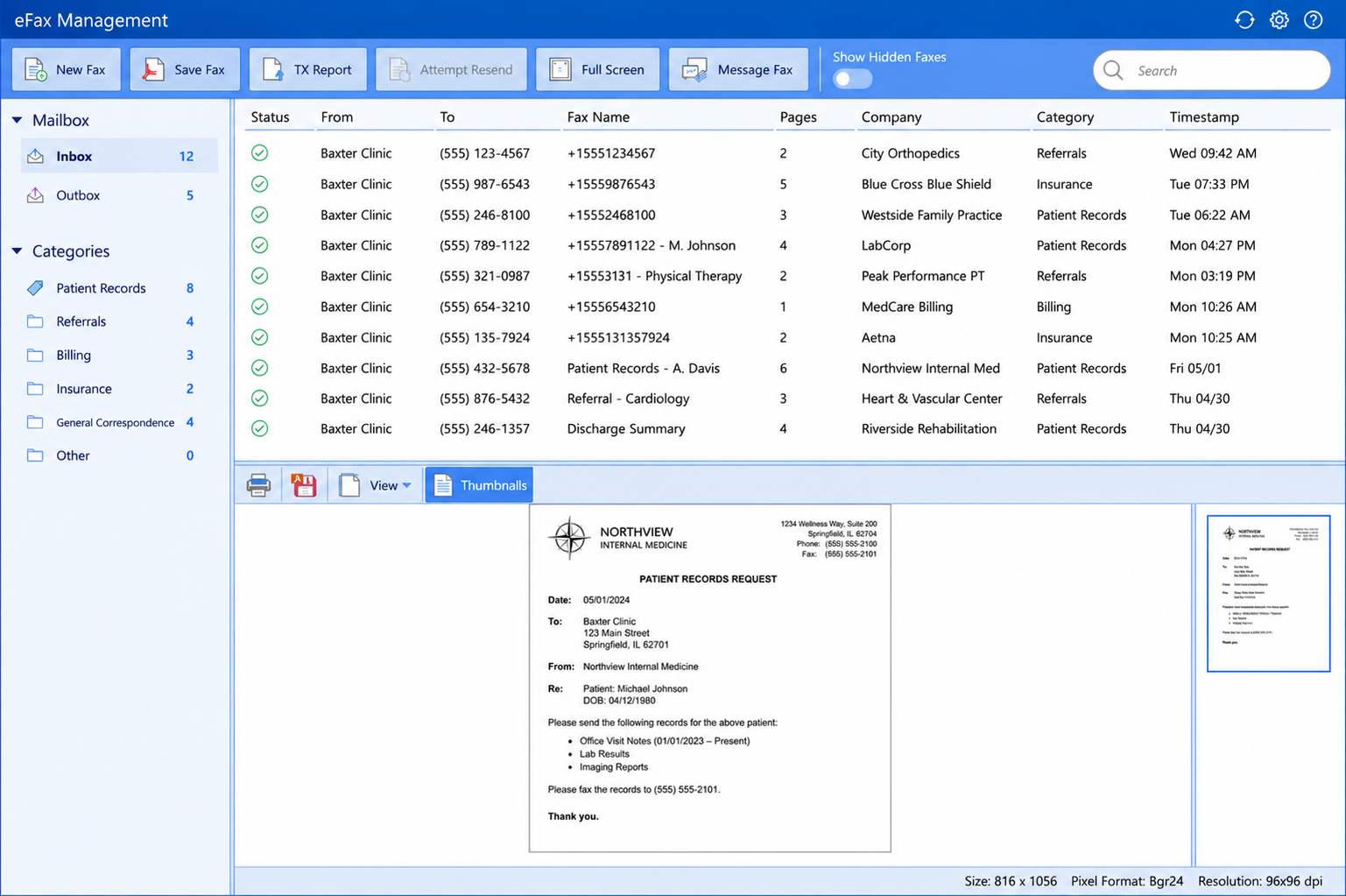
Fax patient encounters, documents, or media directly from the patient record — no separate fax software required.
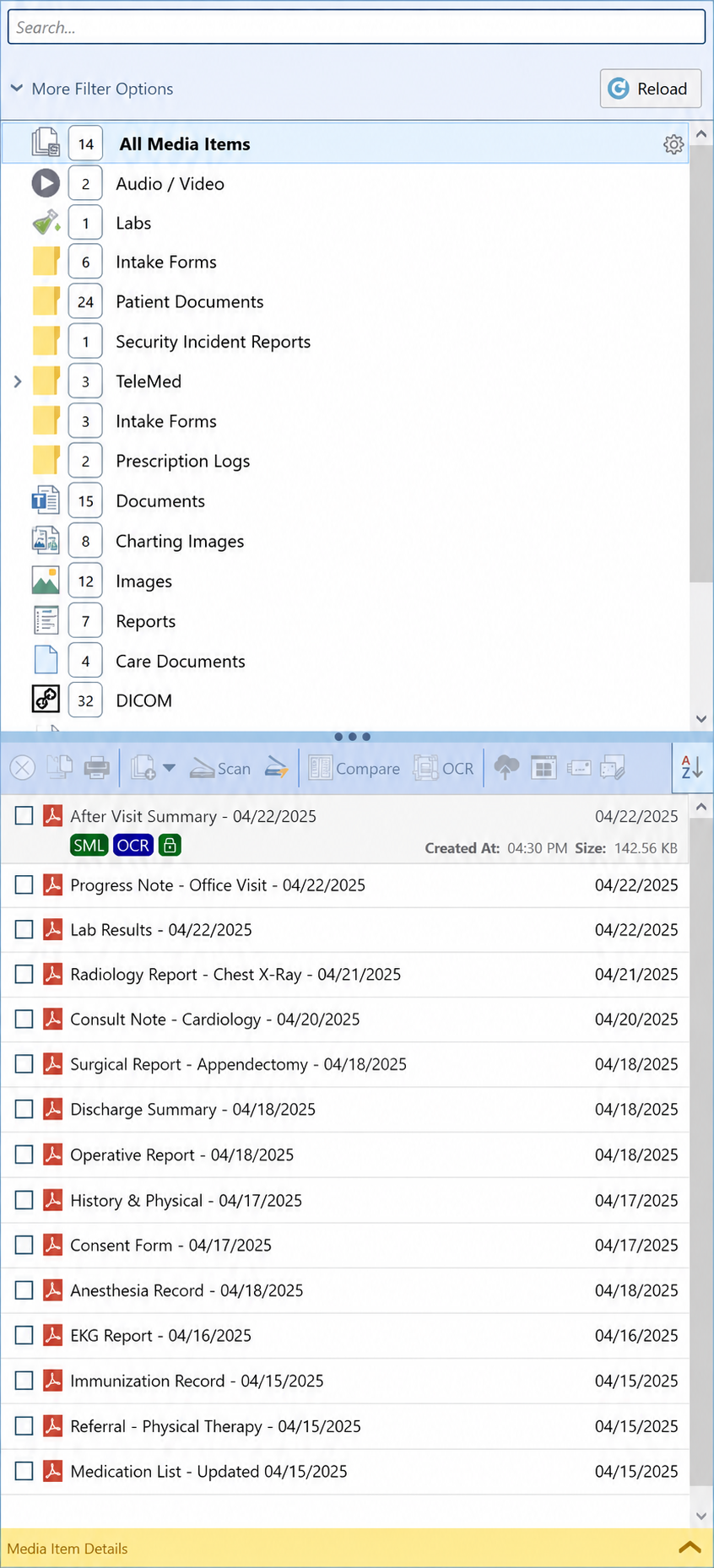
Every file tied to your patient — viewed, compared, and edited without leaving the chart.
The patient documents area is the hub of your media workflow. Every scanned document, every fax, every image, every DICOM file — all stored, searchable, and accessible without leaving the chart.
View, edit, compare up to four files side by side, and share securely through the patient portal — all without touching a third-party application.
Most EHRs store DICOM files. PracticeStudio lets you work with them — view, annotate, measure, and compare imaging directly in the software. No PACS system required. No separate viewer to launch.
Your imaging workflow stays inside the patient record. Your providers stay focused on the patient.
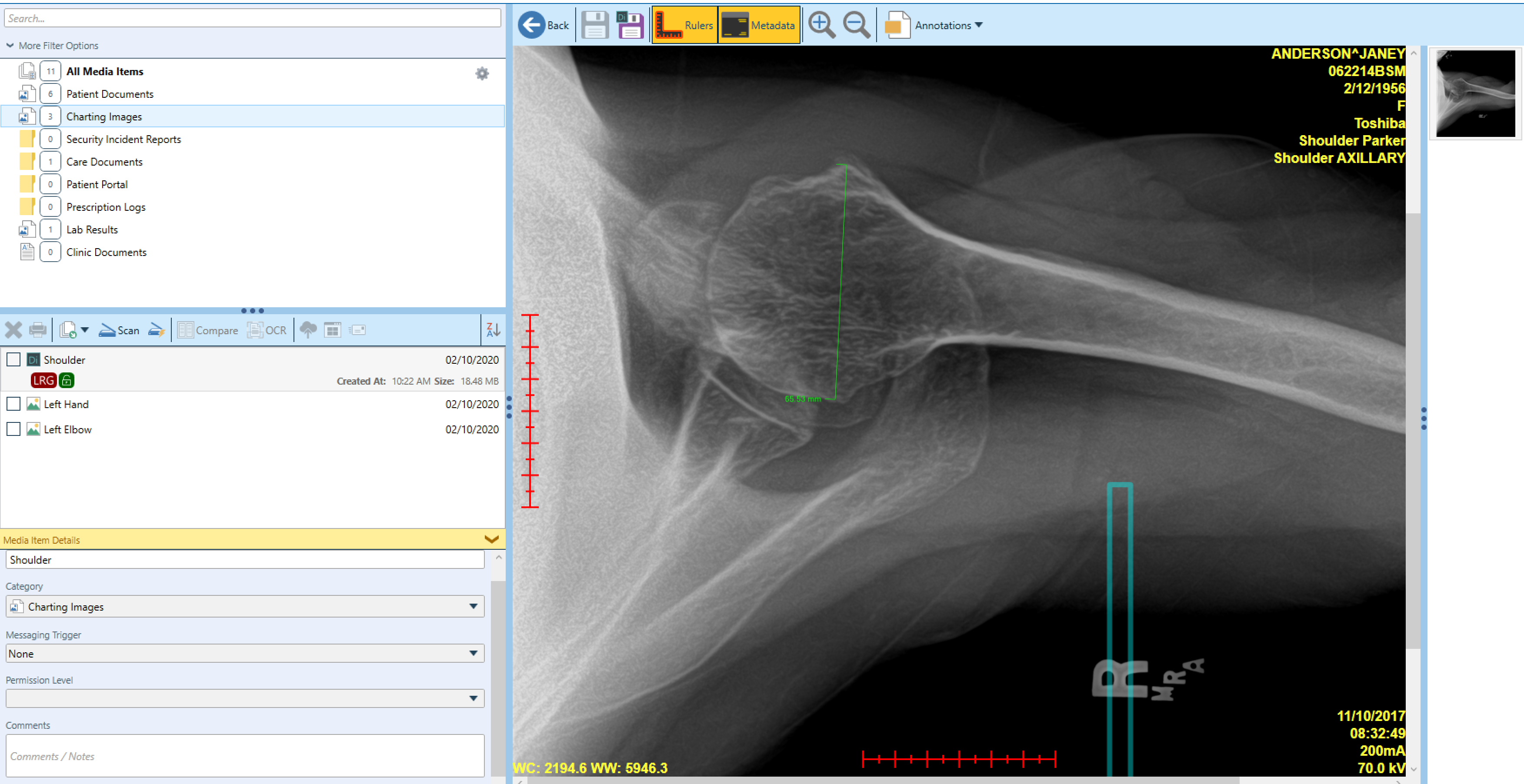
DICOM imaging with annotations — viewed and marked up directly inside PracticeStudio.
Built over 37 years of listening to what practices actually need — not what looks good on a feature list.
Find what you need inside any PDF without opening it. Search across your entire document library in seconds.
Capture patient photos directly into the record from connected devices. No extra steps. No separate storage.
Share documents and images with patients or outside sources securely through the built-in patient portal.
Control who sees what. Set access permissions on individual files to keep sensitive records protected.
Store and play back audio and video files directly inside the patient record. Every media type, one location.
Store links to external resources alongside your documents. Everything related to a patient, organized.
Every document, image, and media file is stored on MicroFour’s own infrastructure. No cloud storage contracts with third parties. No patient data routed through outside systems. What goes in stays exactly where it belongs — inside your practice.
Schedule a live demo and we’ll walk you through the full document and media management experience inside PracticeStudio.