
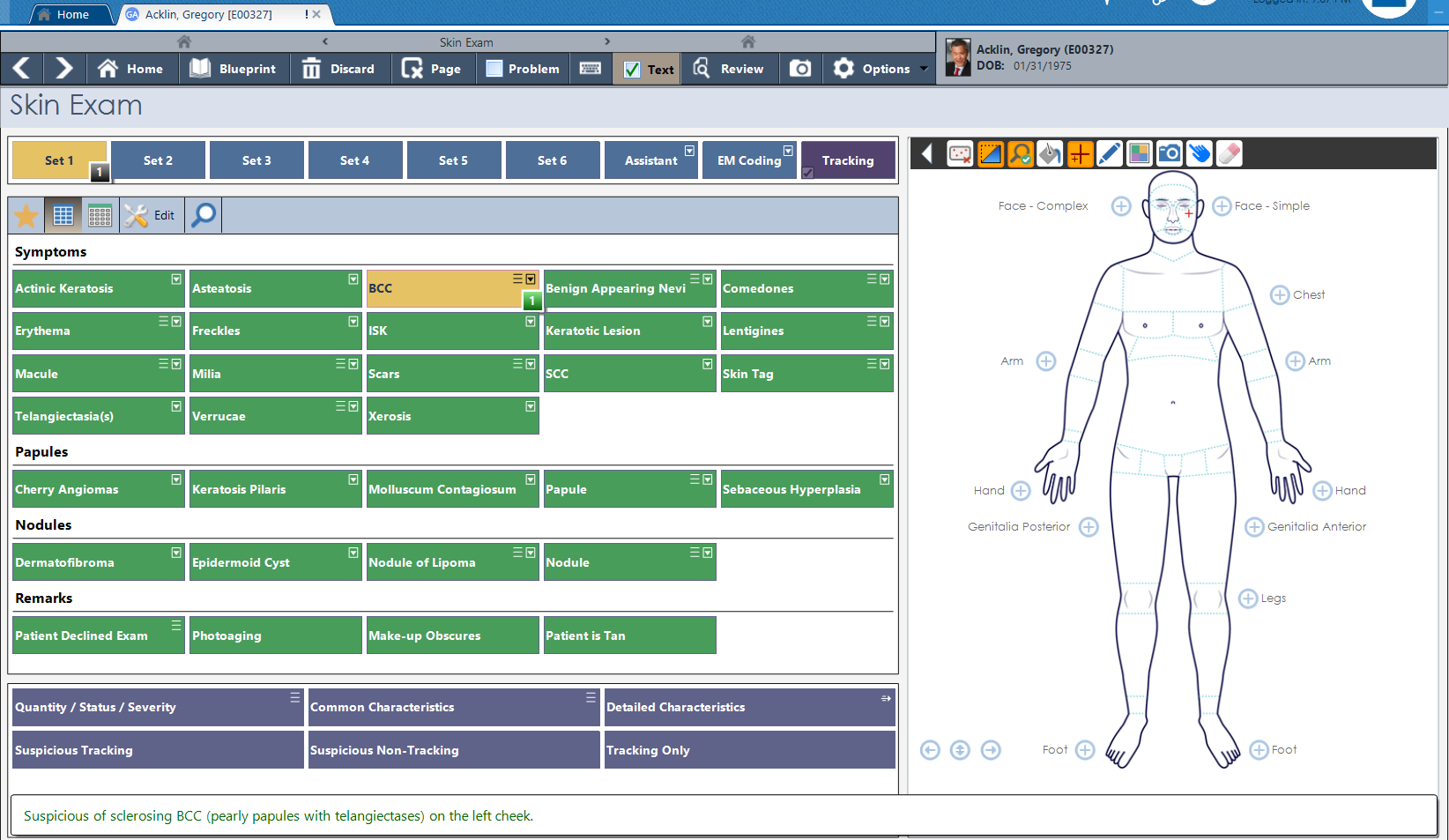
Touch to select findings. The body diagram updates. The clinical text generates. All in the same screen.
The skin exam screen combines a structured finding grid with an interactive body diagram. Select your findings — symptoms, papules, nodules, lesion characteristics — and mark the location directly on the diagram. The clinical documentation generates as you work.
Quantity, status, severity, common and detailed characteristics. Suspicious tracking flags. Everything captured in one structured screen, tied to a body location, ready to carry forward.
Highly customizable. Dermatology workflows vary more than almost any other specialty. The entry screens, finding sets, and encounter structure are yours to configure — built to match your practice, not a generic template.
For cosmetic injection procedures — neuromodulators and dermal fillers — PracticeStudio provides a face diagram mapped directly to the documentation. Place injection points, assign unit counts from the color-coded legend, and the procedure note builds automatically.
Multiple treatment sets per product. An assistant field for multi-provider procedures. The injection record is complete before the patient leaves the room.
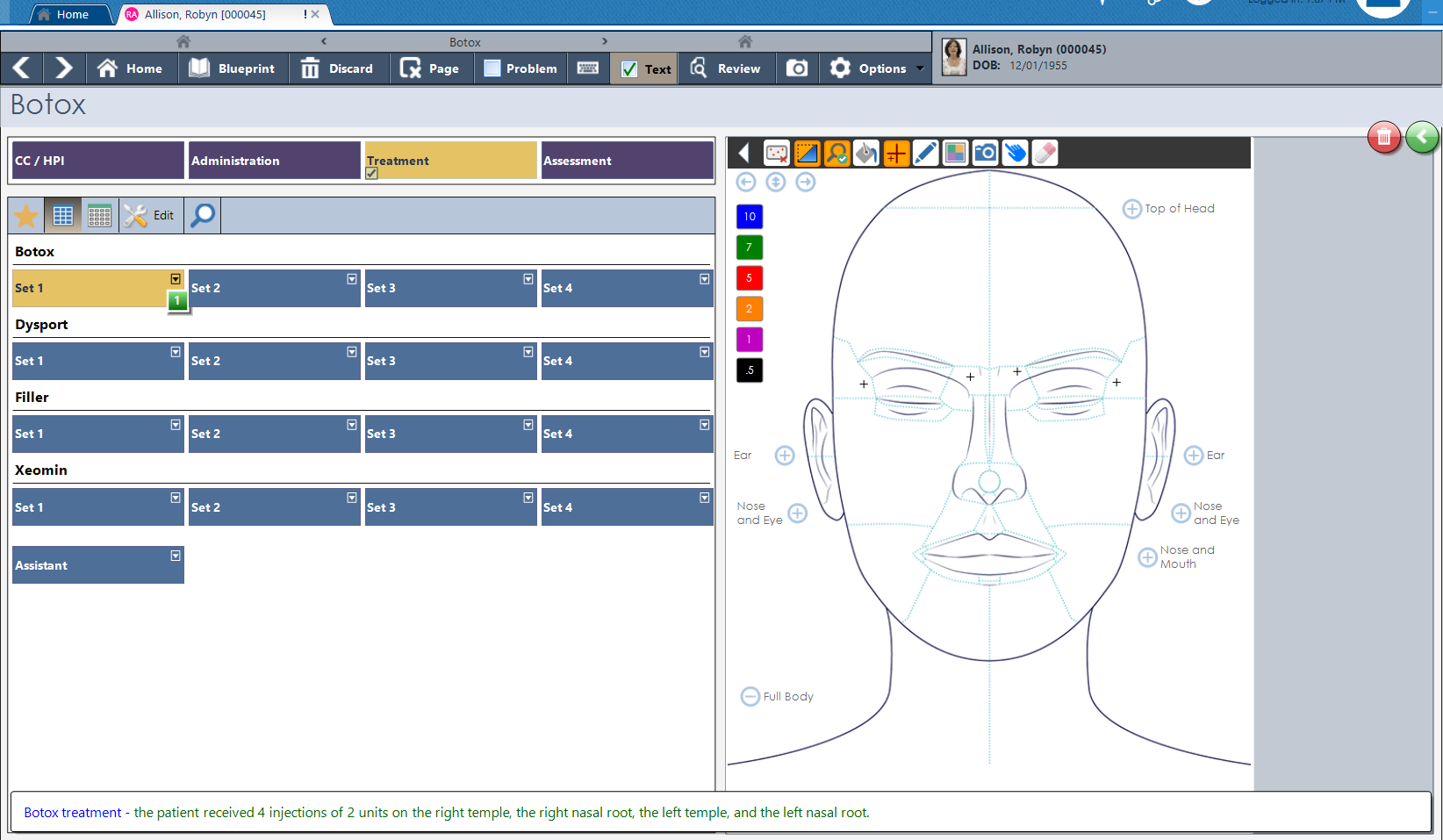
Every neurotoxin and filler product your practice carries — each with its own treatment sets, unit tracking, and face diagram documentation.
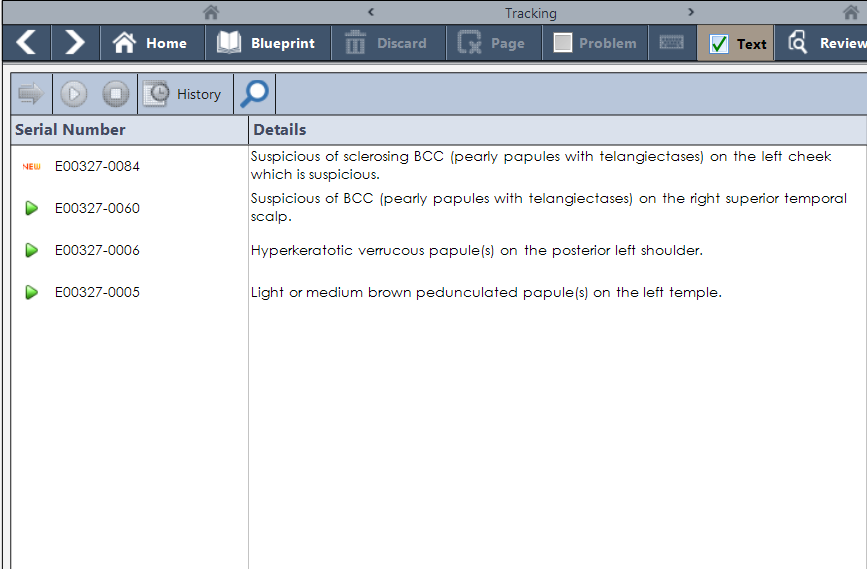
Every tracked lesion carries its serial number, description, lab status, and encounter history — visible across every visit.
When a finding warrants monitoring, flag it as suspicious during the exam. PracticeStudio assigns it a serial number and opens a longitudinal tracking record — description, location, lab status, source encounter, and open or resolved status.
Every subsequent visit, that lesion is visible in the tracking list. Notes and updates accumulate over time. Nothing gets lost between appointments.
AI Workflow captures the encounter through ambient audio and builds the same structured clinical record — available in dermatology just as it is across every discipline. The output lands in the same place, ready for review, sign-off, and follow-up.
Structured data. Not just a text transcription.
37 years of listening to specialty practices means we stopped trying to make one template fit everyone.
Document findings directly on an anatomical diagram. Location is part of the record — not a text description that has to be interpreted later.
Every tracked lesion gets a unique serial number the moment it is flagged. The record follows the patient across every visit, indefinitely.
A dedicated cancer log outside the standard encounter flow. Biopsy dates, classifications, and clinical notes — always accessible, always tied to the patient.
Build your own encounter templates from the ground up. Dermatology workflows vary widely — PracticeStudio adapts to yours, not the other way around.
The finished note goes wherever it needs to — printed, faxed through built-in eFax, or uploaded to the patient portal without leaving the chart.
Suggested billing codes update in real time as the encounter builds. Complexity drives the code automatically — no separate coding step required.
We will walk through a full encounter — skin exam, injection documentation, lesion tracking — built around your workflow.