
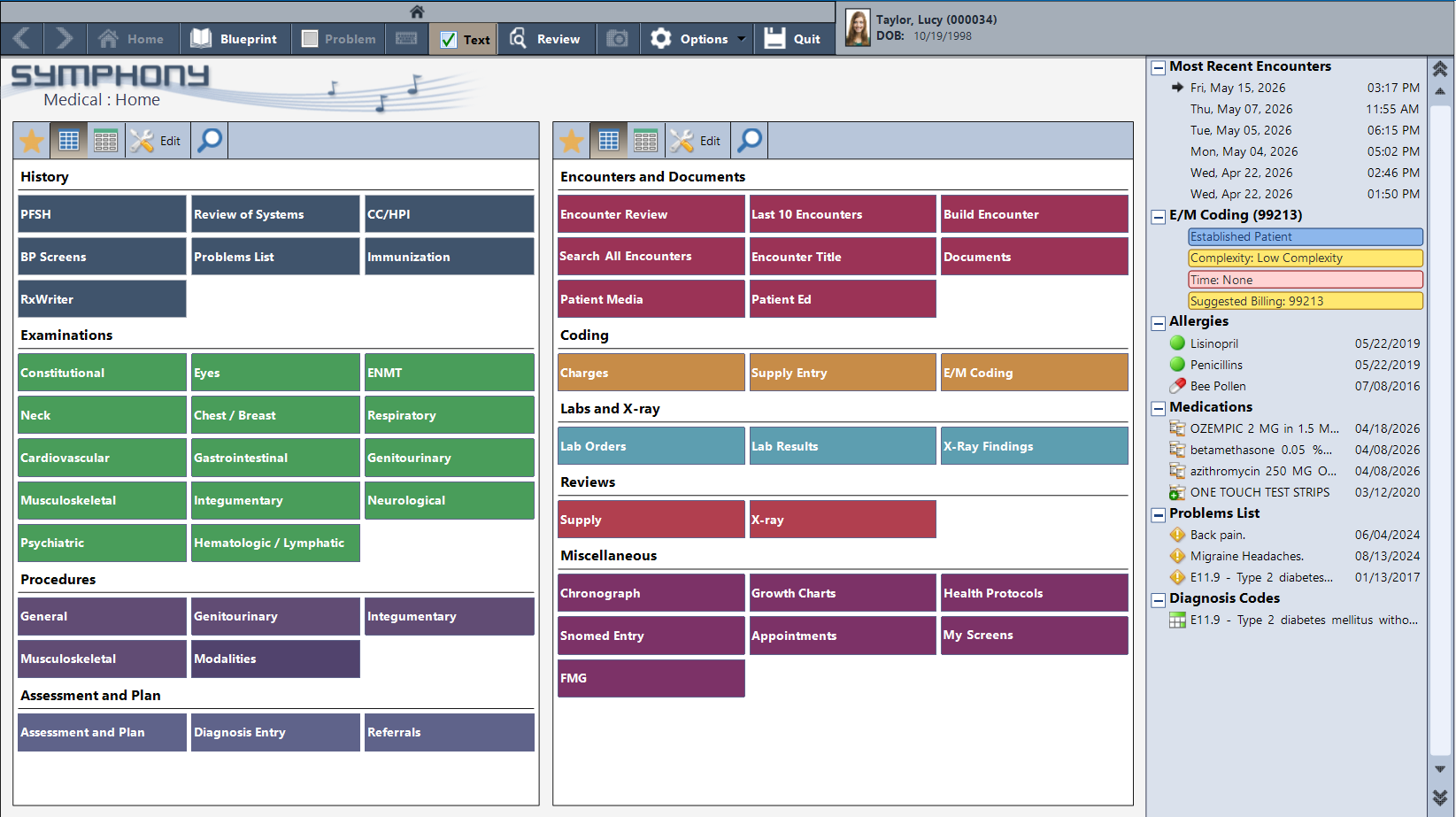
History, examinations, procedures, labs, coding — organized by workflow, accessible in a single click.
The medical charting environment organizes the full scope of family practice documentation — constitutional, cardiovascular, respiratory, gastrointestinal, neurological, psychiatric, and more. History, procedures, assessment and plan, labs and imaging, referrals.
The patient’s problems list, current medications, allergies, and recent encounters are visible at a glance on the right before the provider touches the first screen. The chart knows the patient before the encounter begins.
When a patient with Type II diabetes comes in for a follow-up, the note builds from the moment the encounter opens. Chief complaint, history of present illness, past and family history — all structured, all generated from guided entry screens.
The problems list tracks every active condition with the date it was identified. Suggested E/M billing updates in real time as documentation complexity builds. And when a lab is overdue, PracticeStudio flags it during the encounter — so nothing falls through between visits.
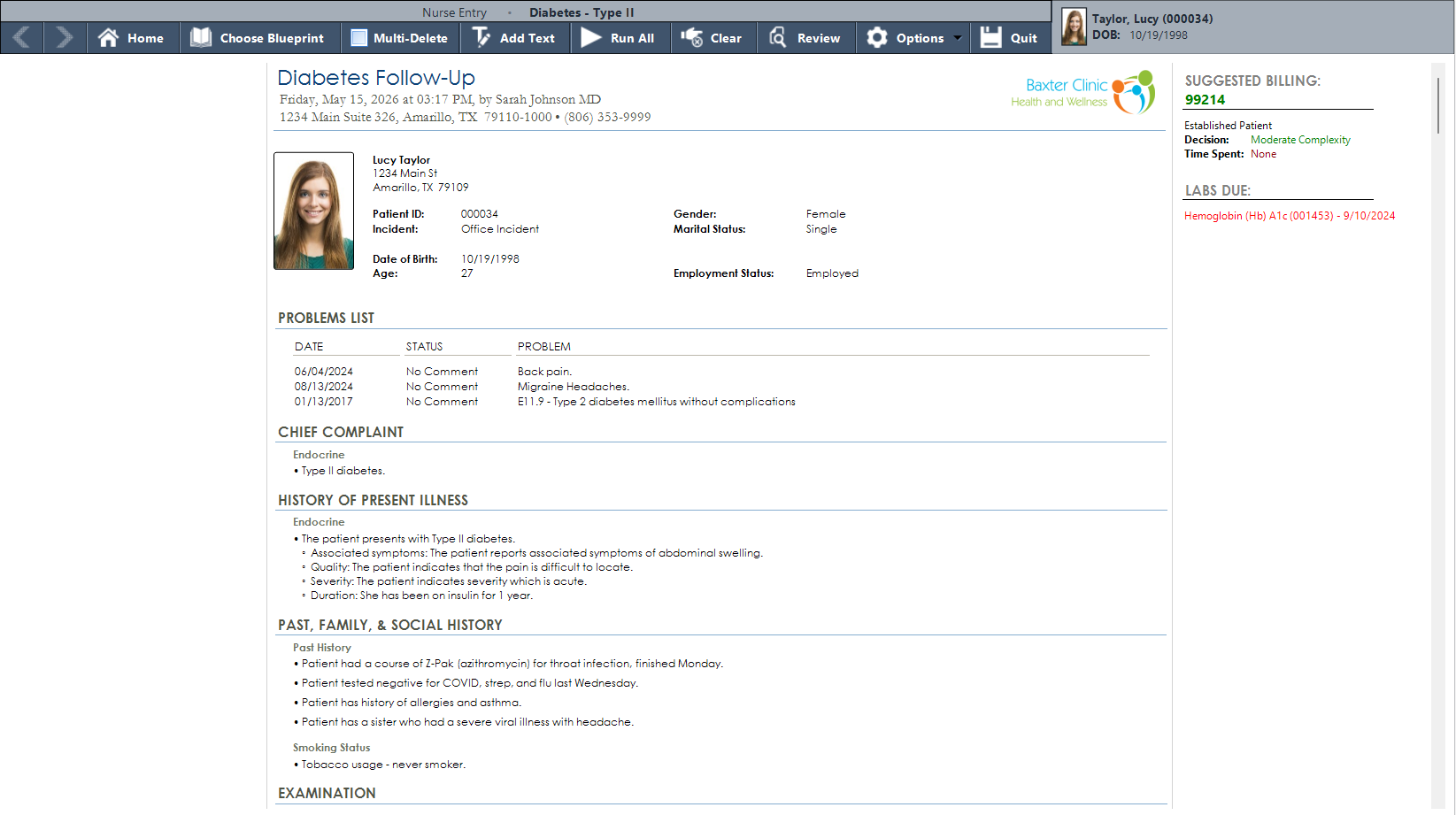
Active problems tracked across years, structured documentation building in real time, and an overdue HbA1c surfacing automatically on the right.
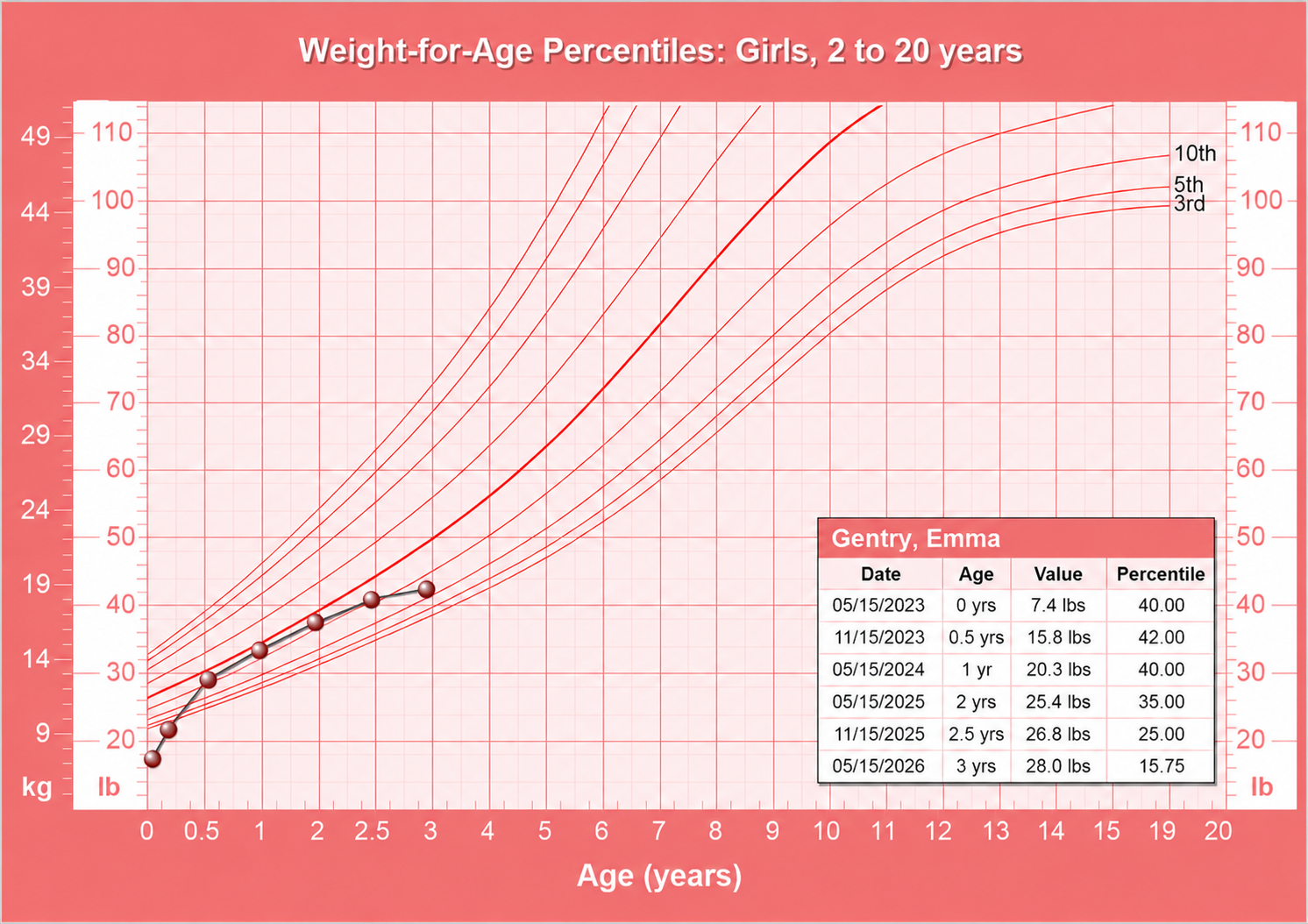
CDC percentile curves plotted against the patient’s measurements visit by visit — weight, height, and BMI, all inside the chart.
CDC growth charts are part of the patient record — not a separate tool, not a printed form. Weight, height, and BMI are plotted against age-specific percentile curves and updated with every well-child visit.
The data point plots automatically from vitals captured during the encounter. The chart accumulates over time, giving providers a clear visual of growth trends across every visit in the practice’s history with the patient.
AI Workflow captures the encounter through ambient audio and builds the same structured clinical record — chief complaint, history, examination findings, assessment and plan. The output lands in the same Blueprint view, ready for review and sign-off. No clicks required.
Structured data. Not just a text transcription.
37 years of building for outpatient practice means we understand the full scope of what a family physician manages day to day.
Write and manage prescriptions directly from within the chart. Medication history stays connected to the patient record without switching applications.
Immunization history lives in the chart alongside the rest of the patient record — documented during the visit, visible on every subsequent encounter.
Labs due surface in the encounter sidebar automatically. Providers see what needs follow-up before the patient leaves — no separate tracking required.
Download pre-built blueprints for common family practice presentations — cardiovascular, endocrine, respiratory, musculoskeletal, and more — or build your own.
CDC percentile curves for weight, height, and BMI. Plotted automatically from encounter vitals and tracked across every well-child visit in the patient’s history.
Suggested billing codes update in real time as documentation builds. Complexity drives the code — automatically, without a separate coding step after the visit.
We will walk through a full encounter — from homebase to finished note — built around the breadth of what your practice actually handles.