
The orthopedic blueprint library includes purpose-built encounter templates for every major joint examination — knee, shoulder, hip, ankle, elbow, and wrist — plus functional evaluation, rehabilitation tracking, and the medical exam form required for surgical clearance.
Each blueprint structures the encounter the way orthopedic providers actually document — by joint, by side, by finding type. Consistent from one provider to the next, one visit to the next. No improvising the structure every time a patient sits down.
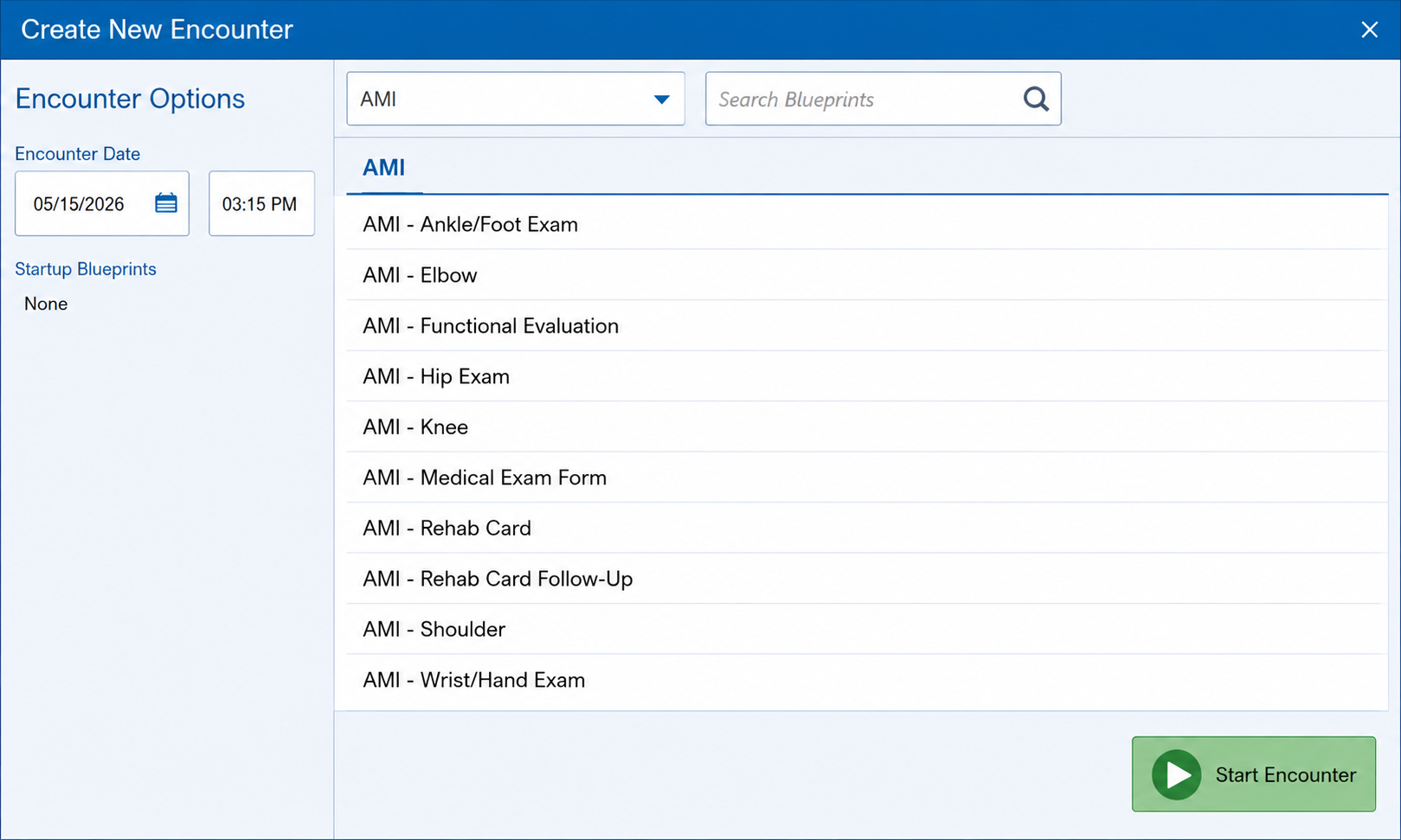
Every major joint. Every exam type. Select the blueprint and start — the structure is already there.
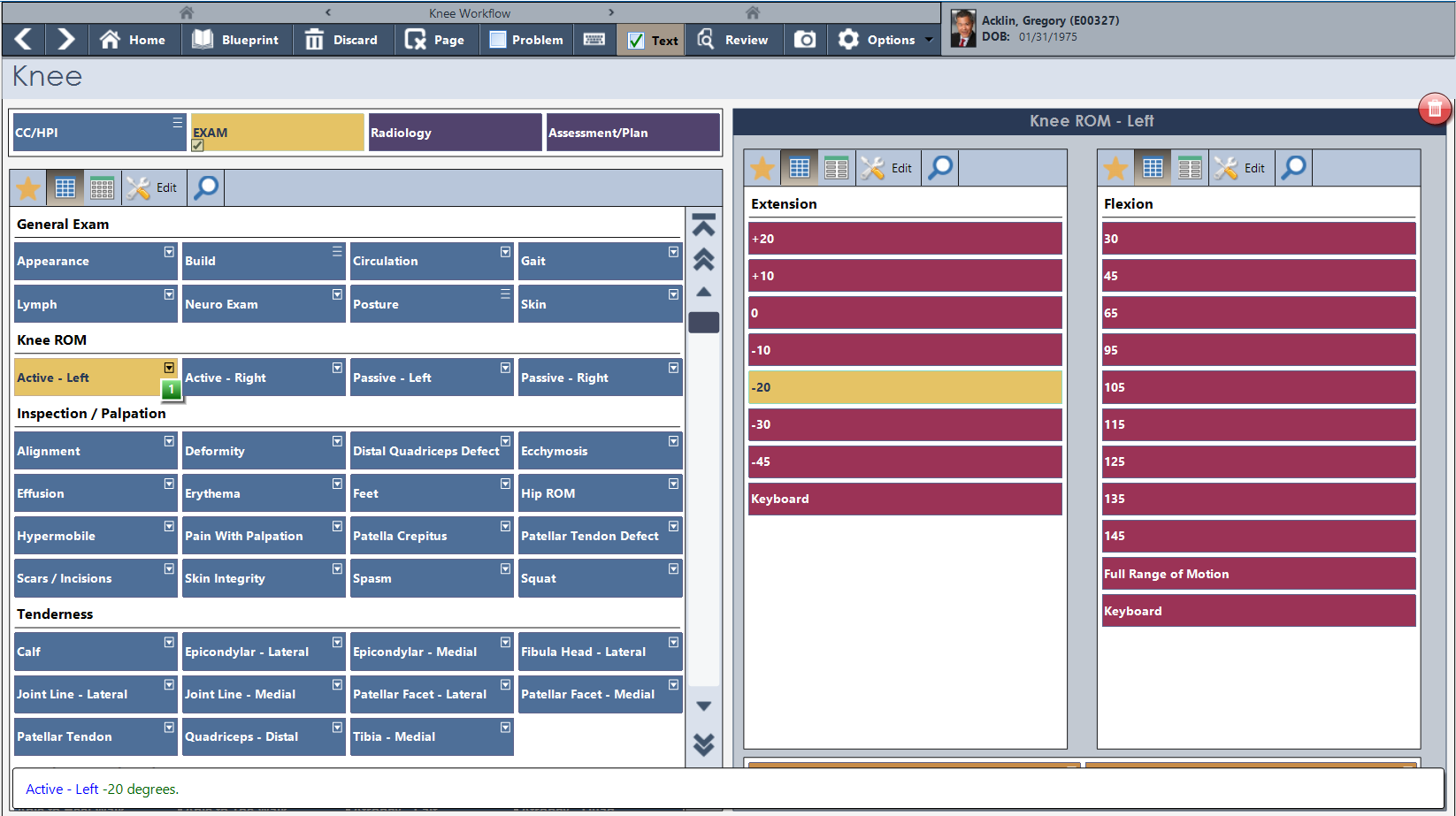
Active and passive ROM measured in degrees, left and right documented separately — the way orthopedic documentation is supposed to work.
The knee examination screen captures range of motion the way orthopedic providers measure it — in degrees, by direction, active versus passive, left versus right. Select the value, the documentation generates. No typing, no estimating, no translating a physical finding into a sentence after the fact.
Inspection and palpation findings are organized by clinical category — alignment, effusion, tenderness by location, deformity. The provider works through the examination systematically. The note reflects exactly what was found.
The Surgical H&P blueprint captures the complete pre-operative history and physical — chief complaint, detailed HPI with pain scales and functional limitations, past history, social history, review of systems — all structured, all in the patient record.
Duration, injury type, location of discomfort, pain at rest and with movement, night pain, prior treatment, imaging ordered. The documentation that surgery requires is built into the workflow that leads up to it — not assembled separately and attached after the fact.
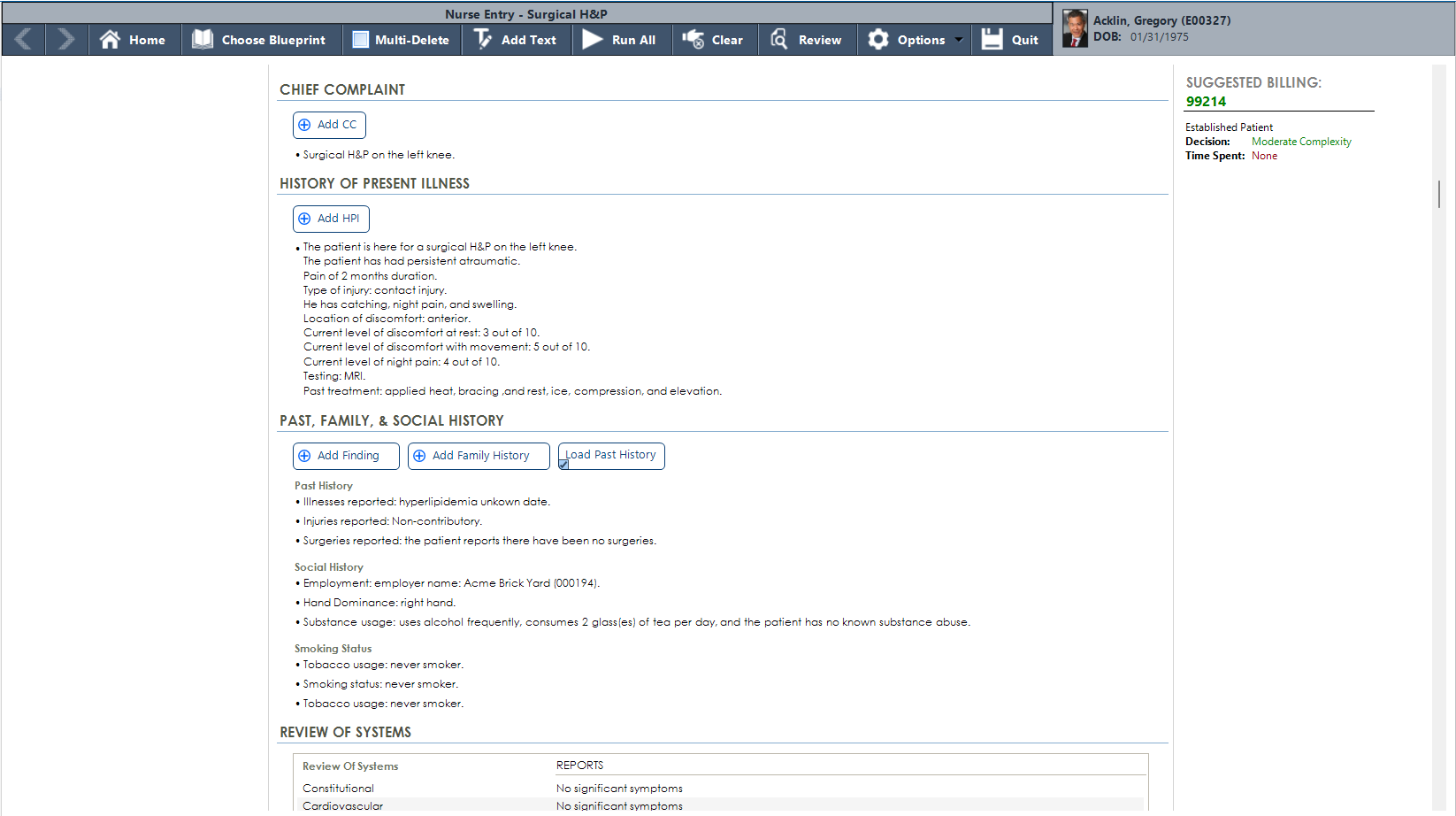
Pain scales, injury history, prior treatment, imaging — the complete pre-operative picture captured in one structured encounter.
AI Workflow captures the orthopedic encounter through ambient audio and builds the same structured clinical record — joint-specific findings, laterality, examination results, assessment and plan. The output lands in the Blueprint view, ready for provider review and sign-off without a separate documentation step.
Structured data. Not just a text transcription.
Orthopedic practices that install PracticeStudio stay — because both sides of the practice find what they need.
Knee, shoulder, hip, ankle, wrist, and elbow each have dedicated procedure documentation screens — not a generic template applied six different ways. The homebase puts every joint one click away.
Range of motion captured in degrees — active and passive, left and right, by joint. Select the value, the documentation generates. No translating physical measurements into narrative after the visit.
Pre-operative history and physical captured in the same chart as every other encounter. Pain scales, injury history, prior treatment, imaging — structured and available to the surgical team without hunting.
Imaging findings documented directly in the encounter. X-ray results connect to the visit that ordered them and stay in the patient record alongside the examination findings that prompted them.
Rehab Card and Rehab Card Follow-Up blueprints track patient progress across therapy visits. Functional evaluation results carry forward so progress is visible across the full course of treatment.
Suggested billing codes update as the encounter builds. Orthopedic visit complexity is captured in the documentation — the code reflects what was actually done, automatically.
We will walk through a complete orthopedic encounter — from blueprint selection through surgical H&P — and show you what the billing side looks like while we’re at it.